01
Read
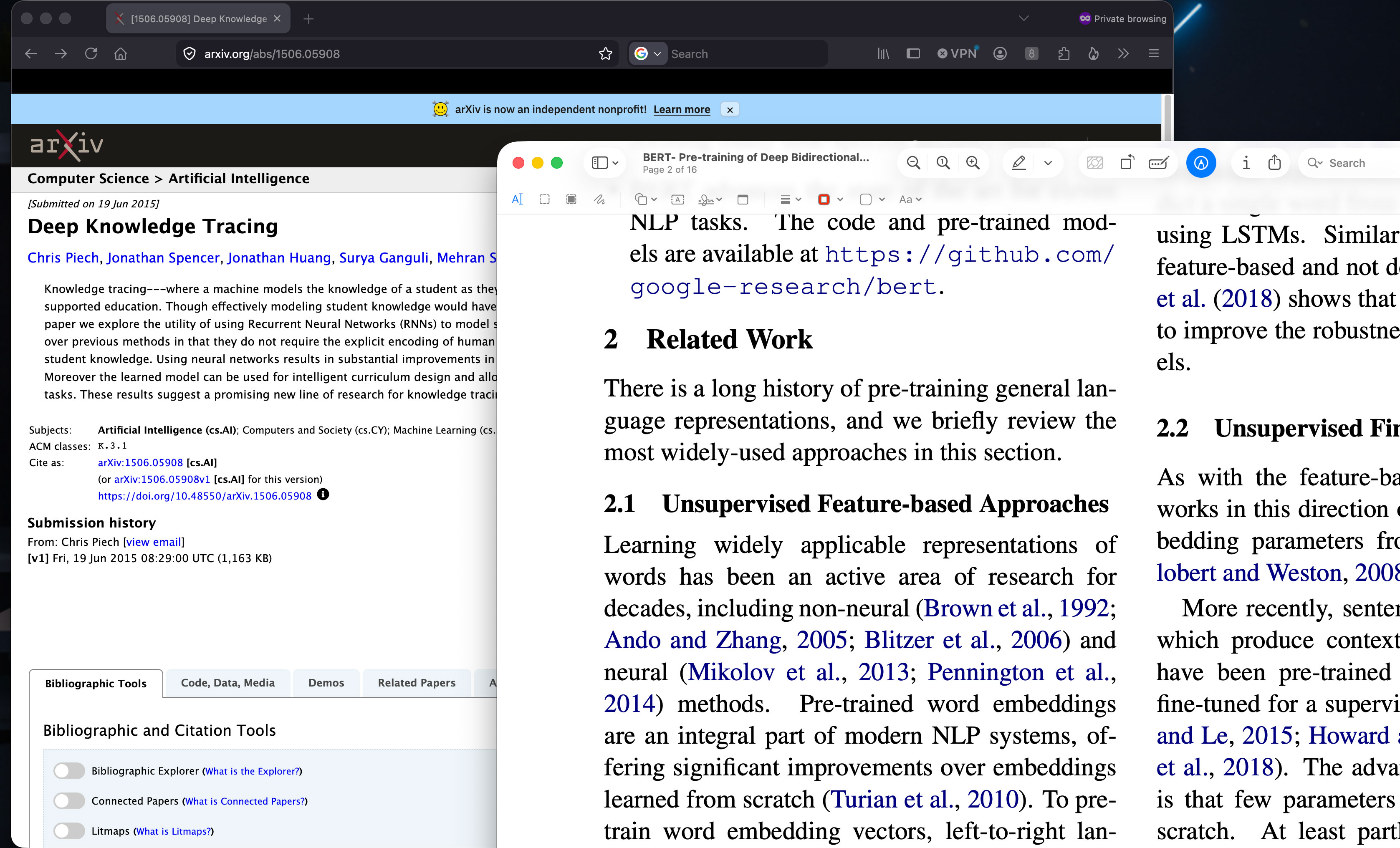
Keep reading anything — PDFs, docs, the web. CogniPage reads along and never interrupts.
 Download
A privacy-first "second brain" that reads along with you and uses proven memory science to make knowledge actually stick. No copy-paste. No manual uploads. No busywork. Just remembering more of what matters.
The reading you already do, finally working for your memory.
Most of what we read fades within days. CogniPage closes the gap between reading and remembering.
Keep reading anything — PDFs, docs, the web. CogniPage reads along and never interrupts.
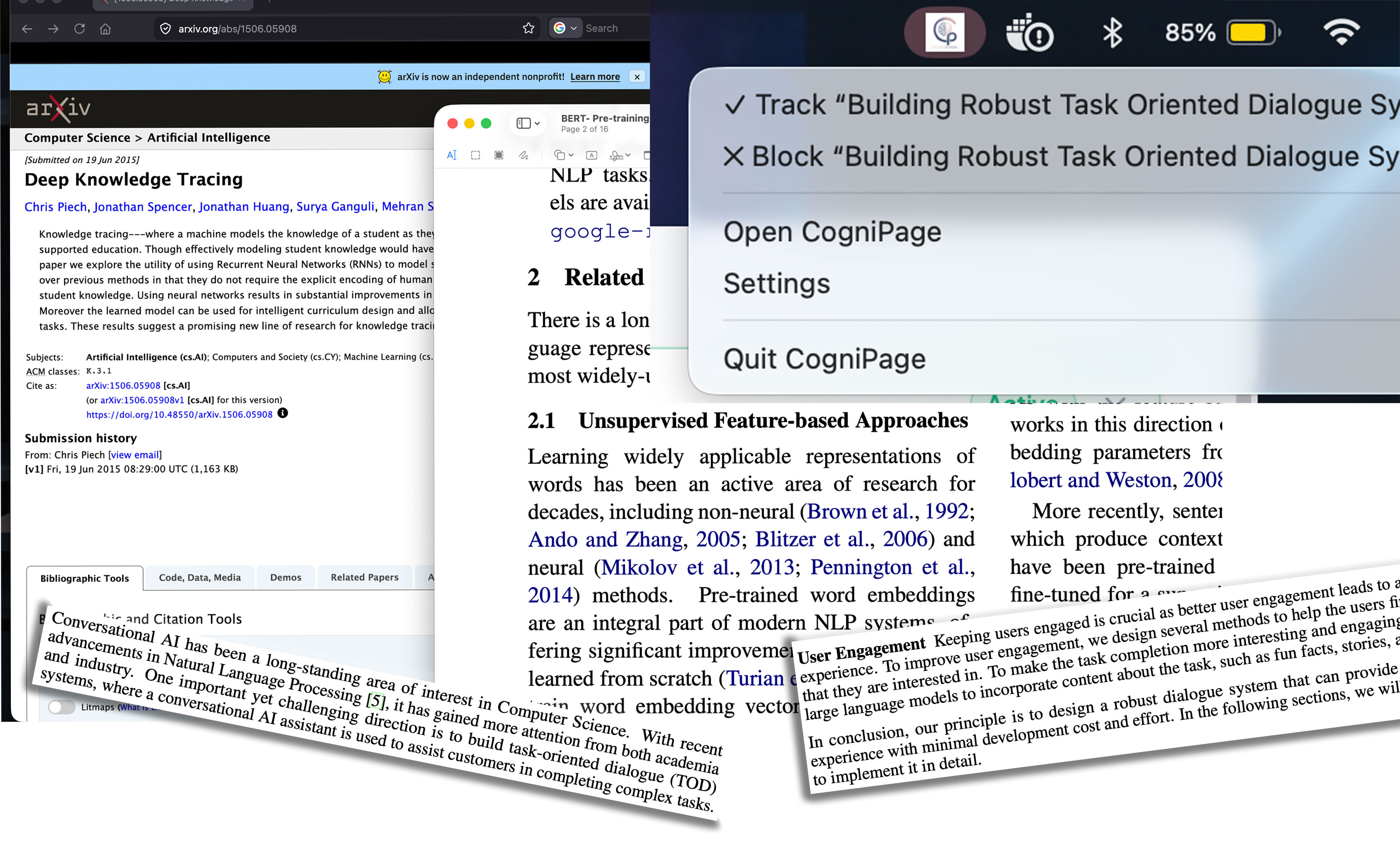
Paragraphs you dwell on are captured automatically and organised into materials, highlighting to keep a note.
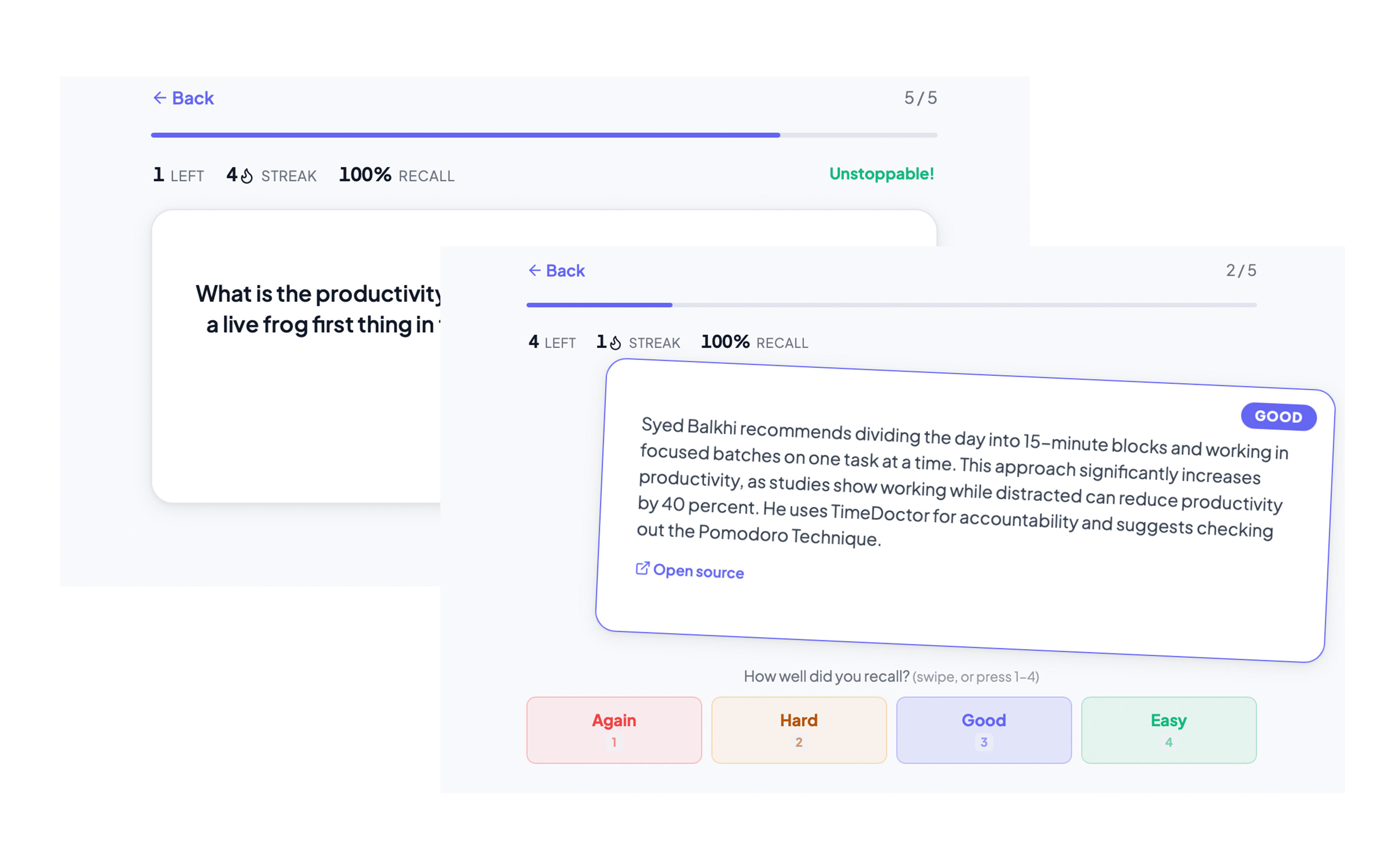
AI-built flashcards and quick assessments from what you read, then schedules them for spaced review.
Watch your knowledge map grow. CogniPage surfaces exactly what to review next so it never fades.
Reads along with you across apps, files, and physical books — zero manual note-organiser.
High-quality cards and assessments from readings, using Deep Knowledge Tracing & Reinforcement Learning.
A proven FSRS algorithm schedule resurfaces material right before you'd forget it.
See how concepts connect and where your understanding is strongest.
Capture happens locally and stays on your device. You approve every site, document and video. See exactly what we read.
Sign in to sync your materials and progress across your devices, over an encrypted connection.
CogniPage reads what you read, then turns it into active practice automatically.
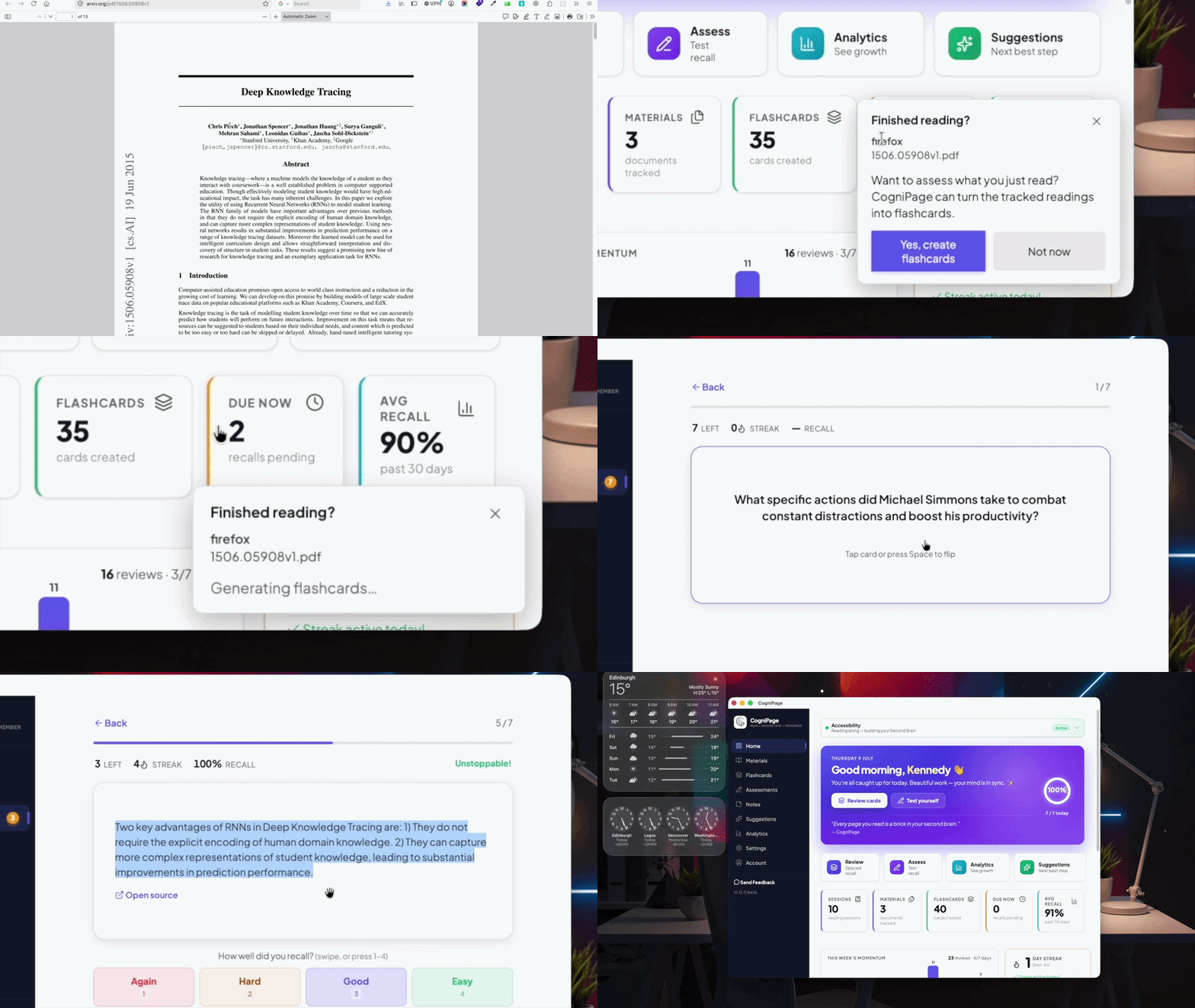
From paragraph to adaptive flashcard, instantly
AI distils each thing you read into clean, high-quality flashcards, then uses a research/community-backed adaptive algorithm to schedule them with spaced repetition so they resurface right before you'd forget — no manual carding, ever.
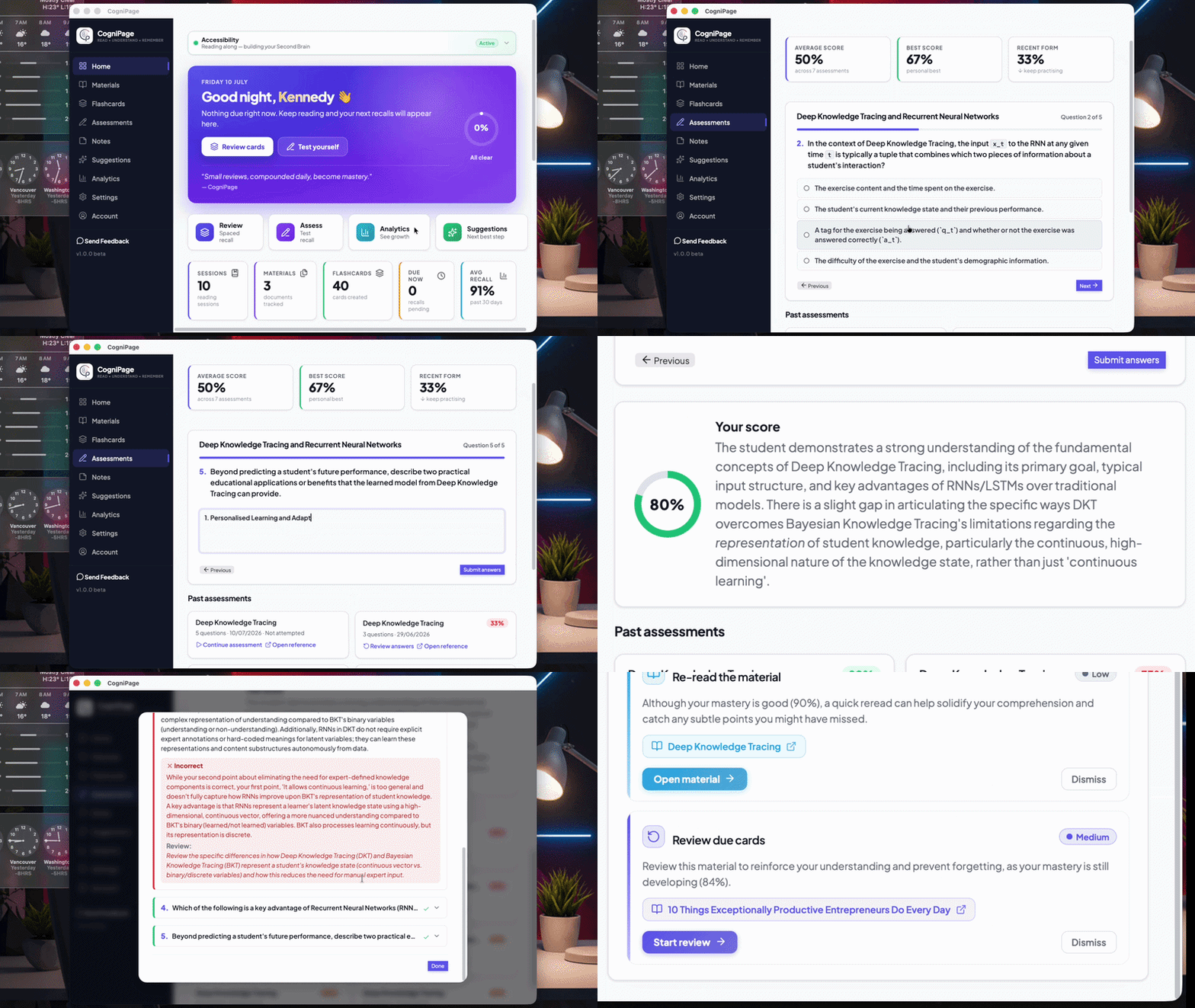
Quizzes that grade & diagnose themselves
Beyond recall, AI builds full assessments from your materials — multiple choice, multi-select, true/false, matching and short answer — then grades your answers and pinpoints exactly where understanding slipped.
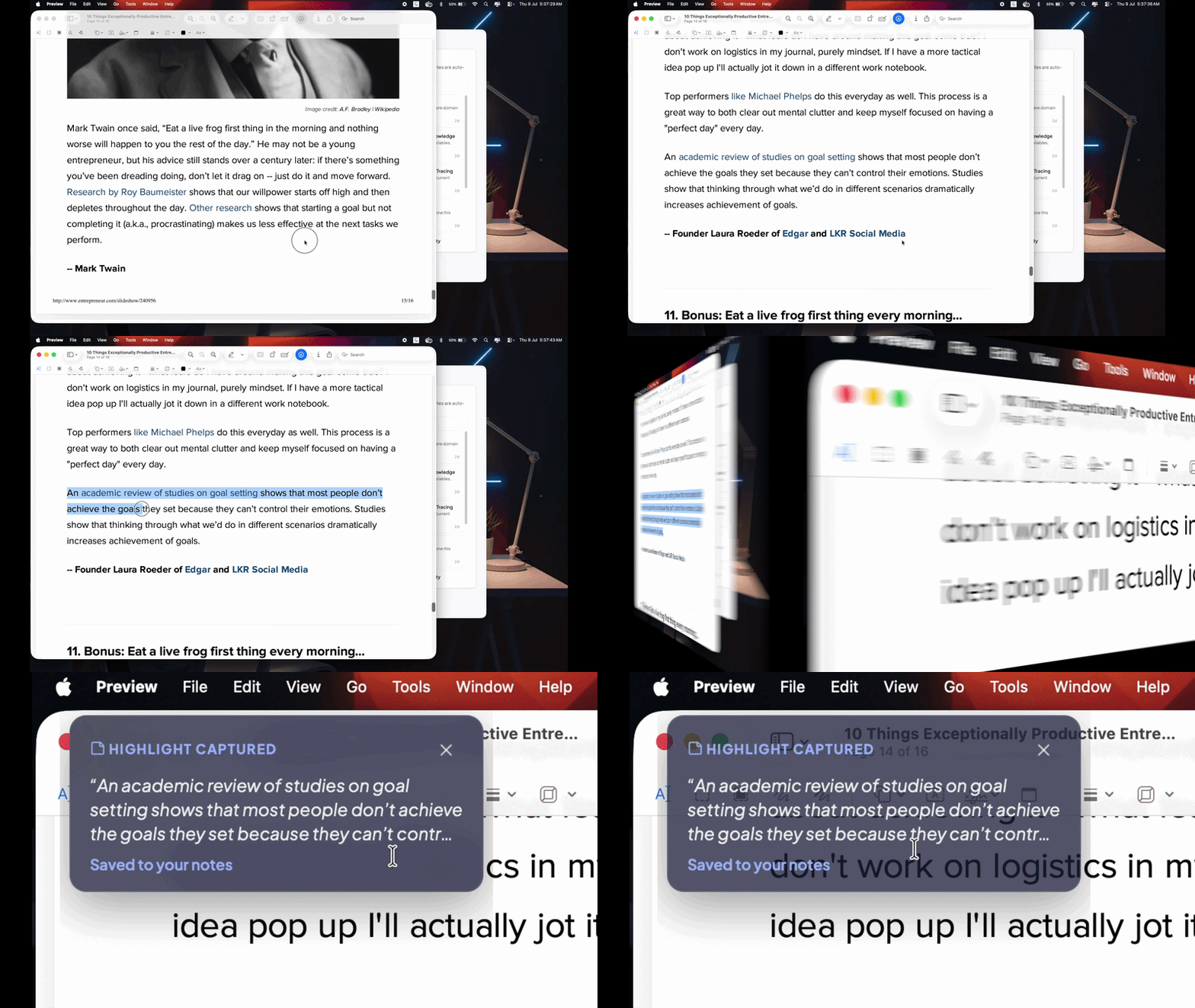
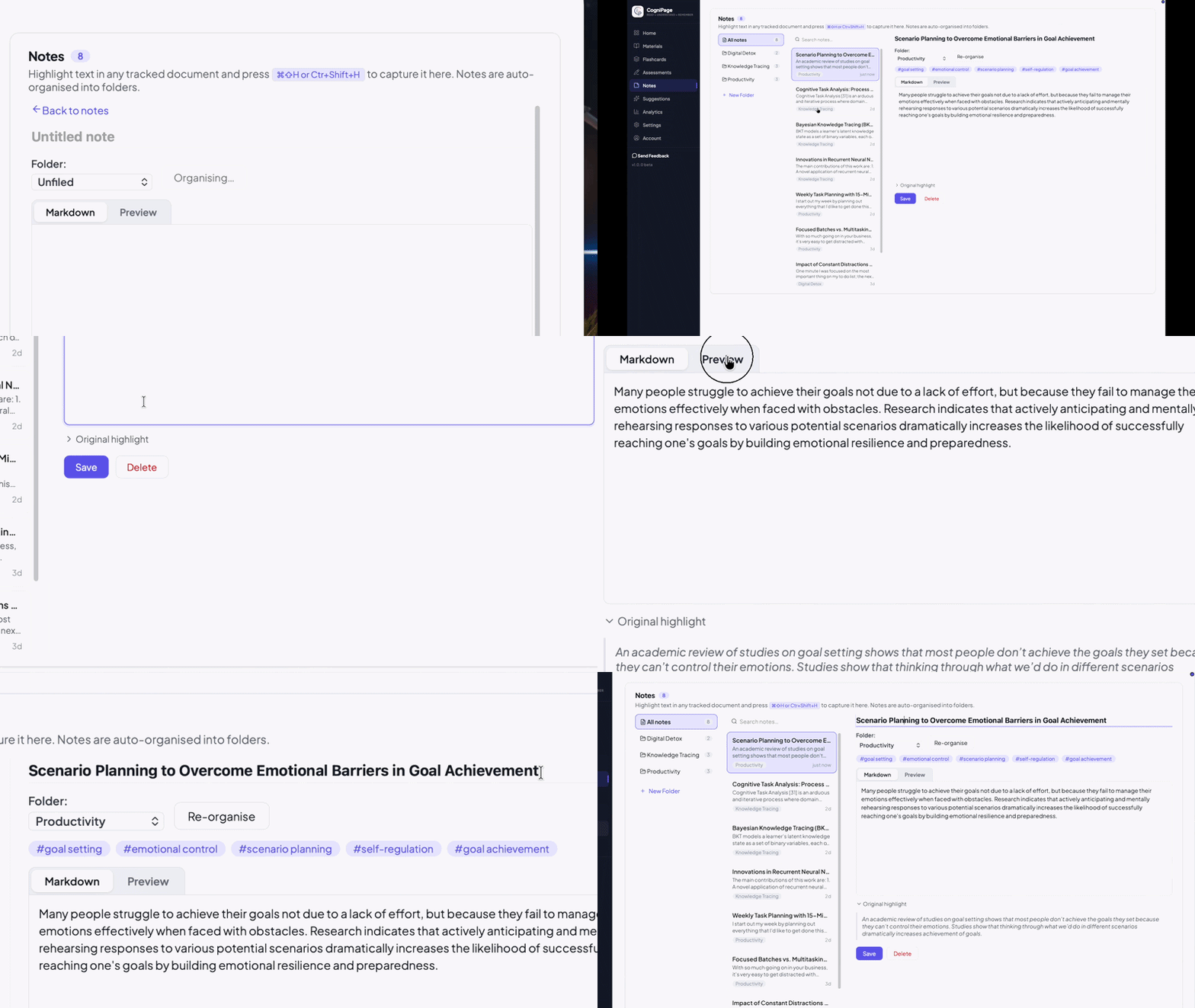
CogniPage turns fleeting highlights into a searchable, self-organising knowledge base. Grab a passage from any app with a single shortcut; AI files it, titles it, and links it to what you already know.
Press ⌘⇧H or Ctrl+Shift+H anywhere — no copy-paste
Select text in your browser, a PDF, or any document app, then hit the global shortcut. CogniPage grabs the passage and saves it as a note — without ever pulling you out of what you're reading.
Titles, summaries, folders & tags — automatic
The moment a highlight lands, AI gives it a title and summary, files it into the right folder, tags it, and links the concepts it touches. Edit anything in a clean Markdown editor, or search across every note in a keystroke.
CogniPage doesn't stop at what's on your screen. Point any camera at a printed page and it reads along with you — so the paperbacks and textbooks you love feed the same recall, assessments and knowledge map as everything else.
Any webcam — no scanner, no typing
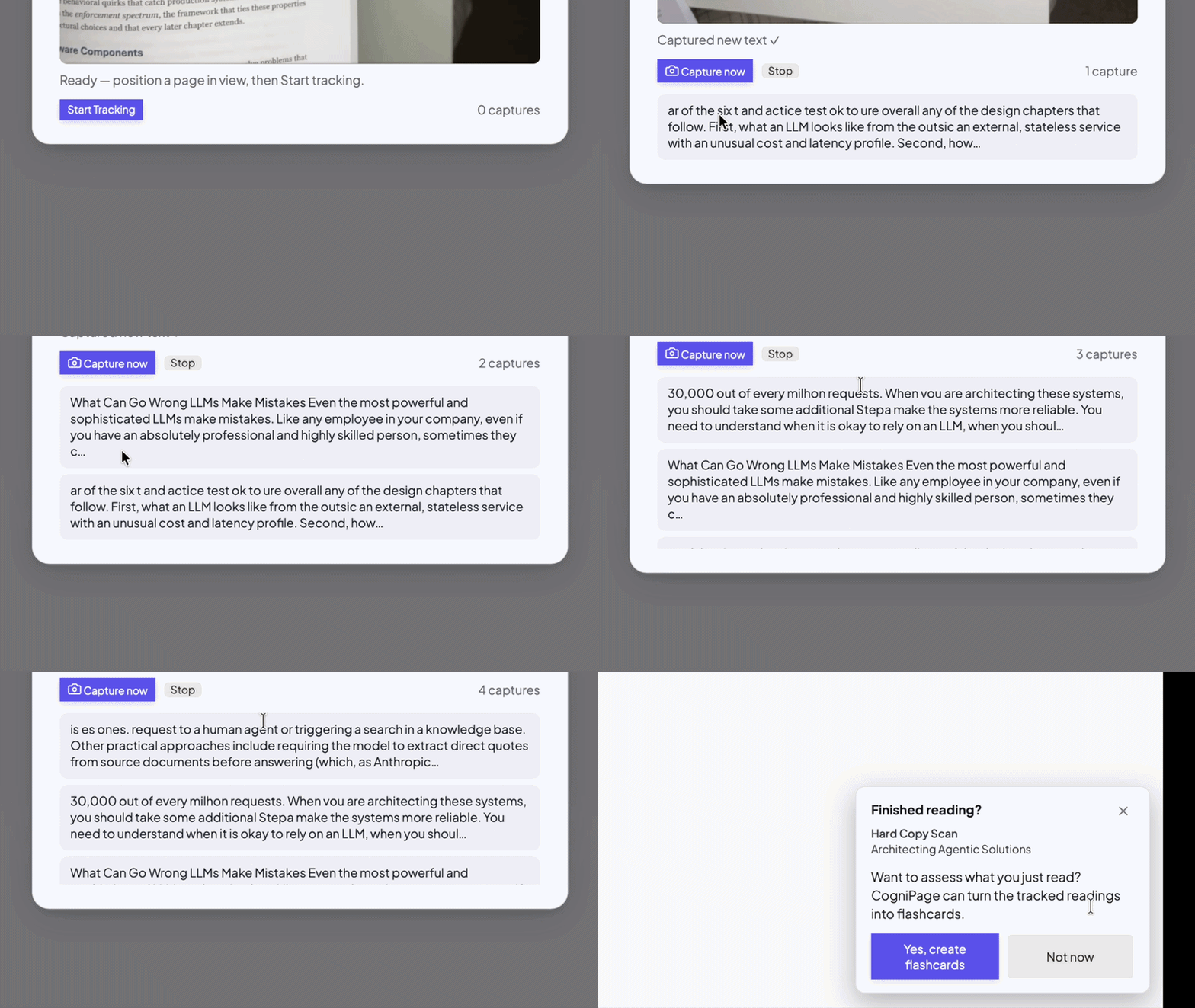
Create a material for your book, aim your camera at the page, and CogniPage captures the text as you turn pages. Continuous auto-capture handles it hands-free, or hit “Capture now” for a single page — and it quietly skips pages you've already read.
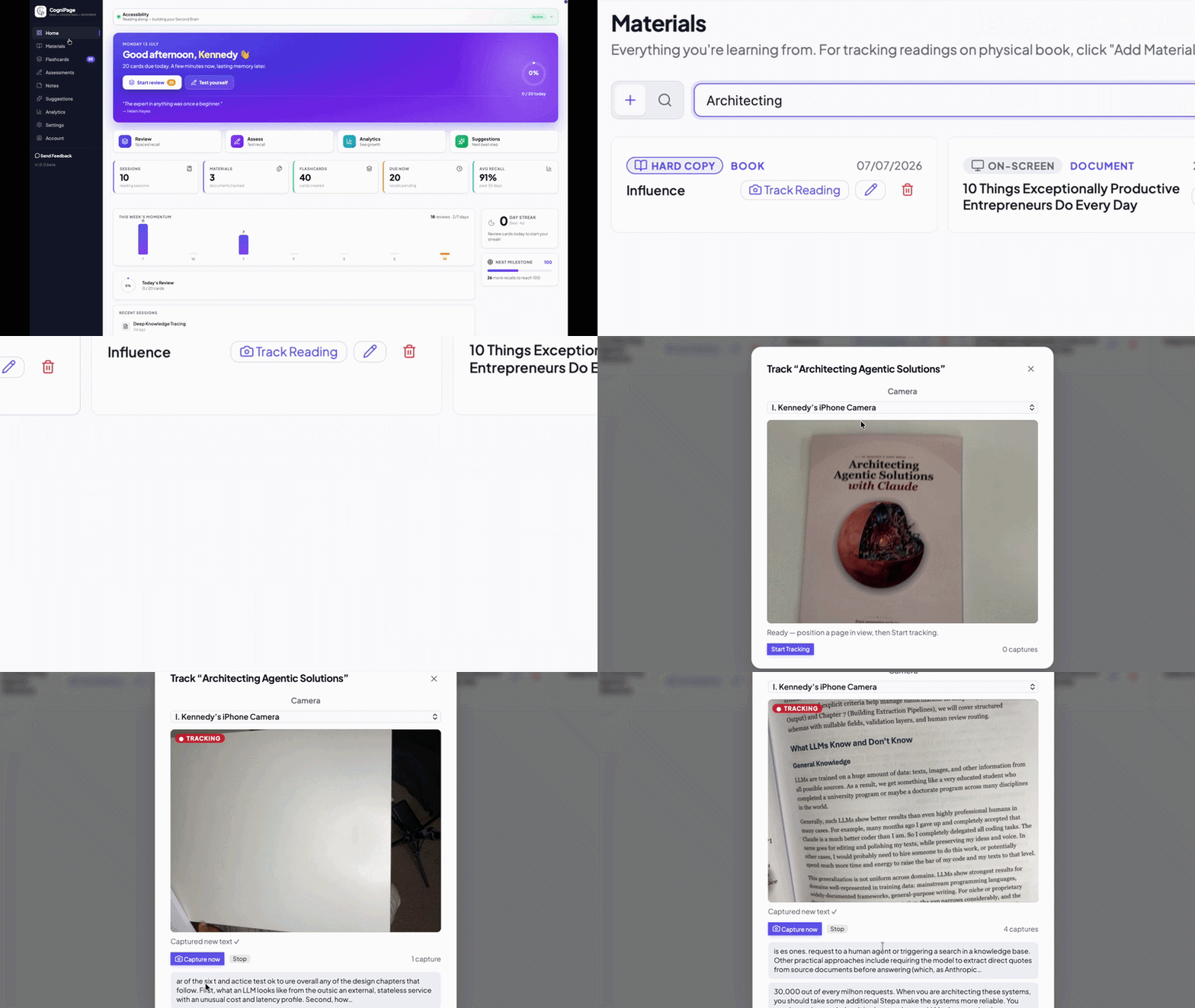
On-device vision, same private pipeline
Recognition runs locally on your device. Each frame is read, the text is kept, and the image is thrown away — no photos of your books are ever stored or synced. From there, printed pages flow into the very same flashcards, assessments and analytics as your on-screen reading.
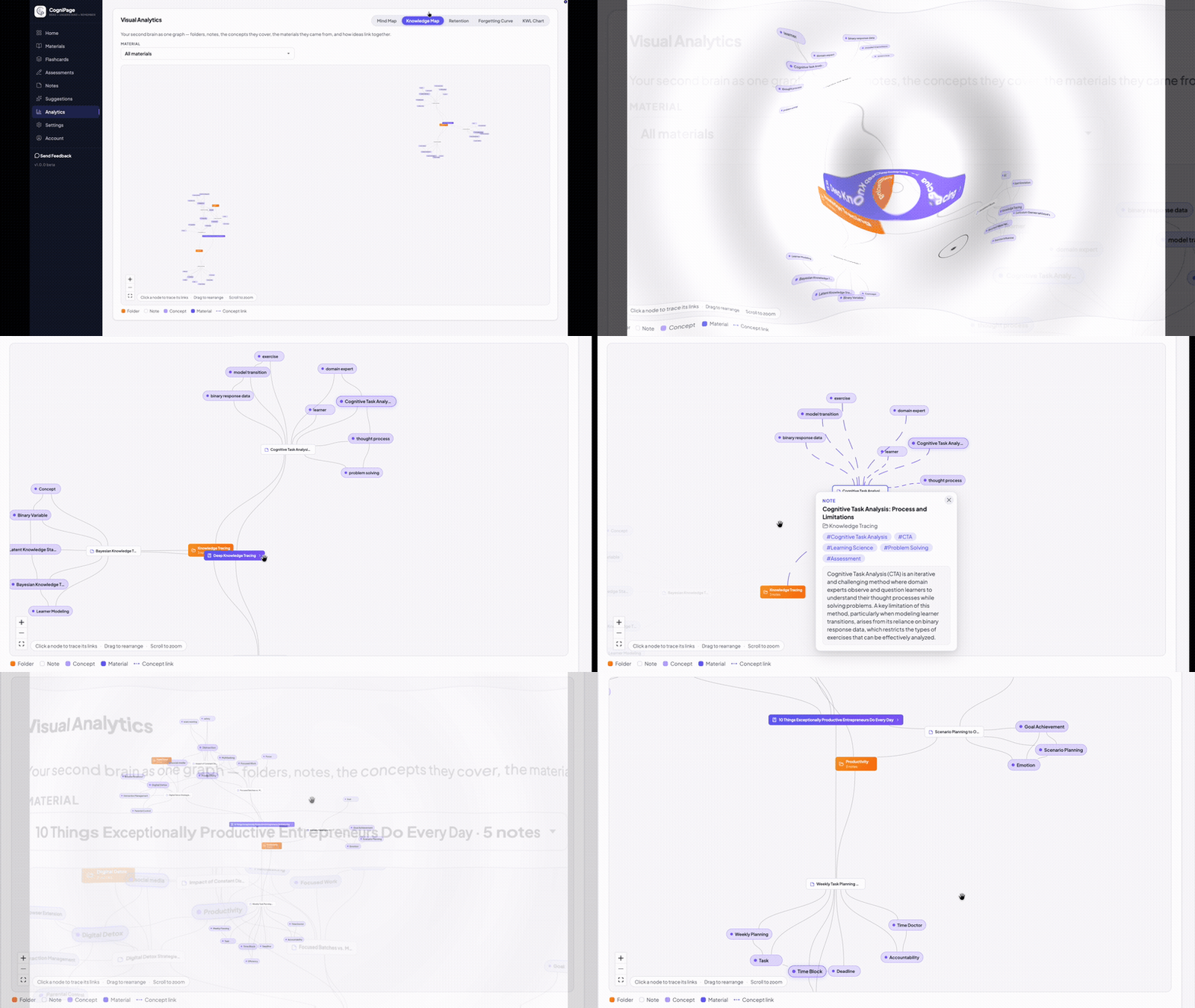
Every folder, note, concept, and the material it came from — laid out as one interactive graph, with concept-to-concept links that reveal how your ideas relate.
Four living views turn your reading and recall history into a clear picture of mastery — so you always know where you're strong and what's about to fade.
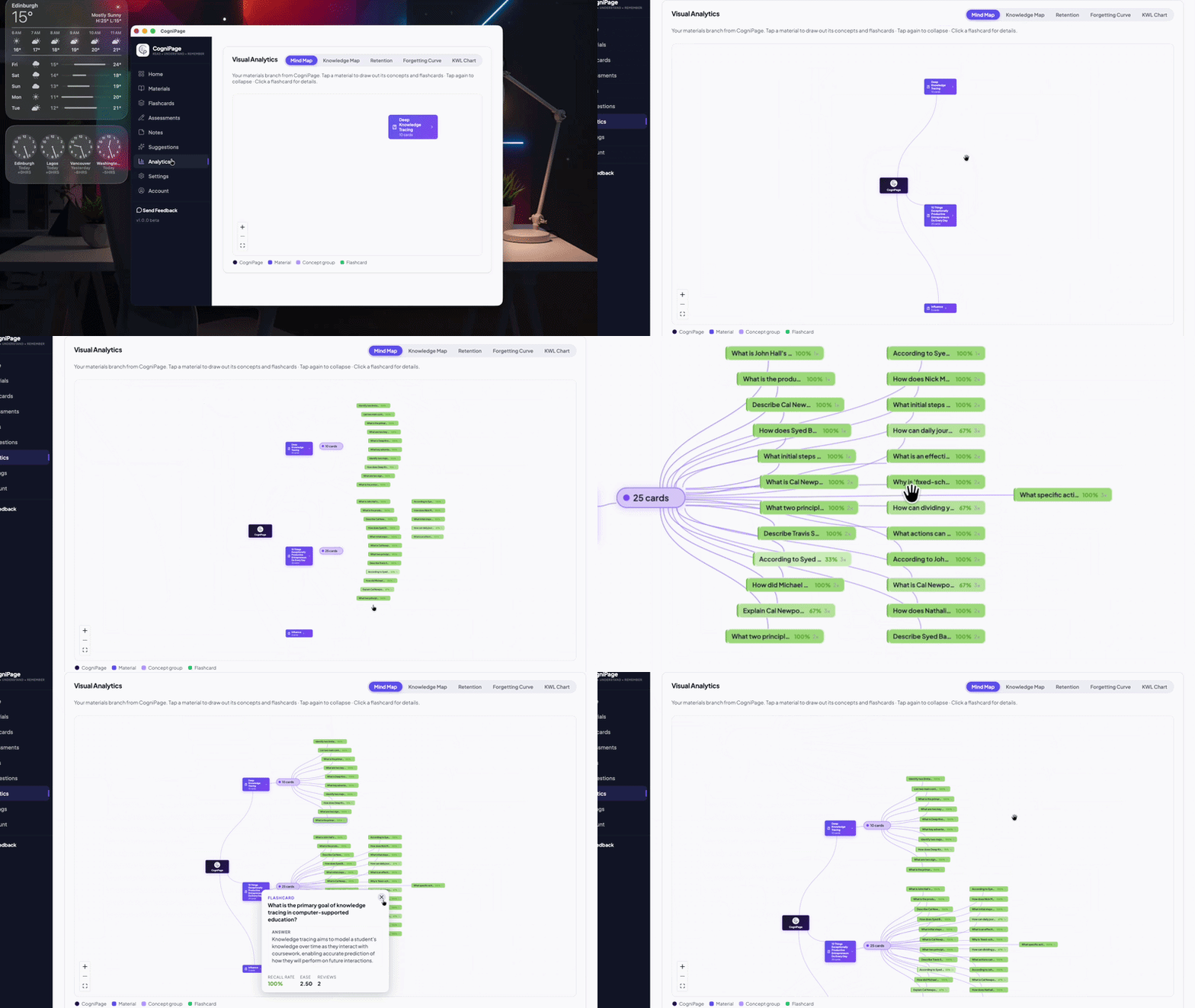
Materials → concepts → flashcards
An interactive graph that connects everything you've read to the concepts and cards it produced — pan, zoom and watch your knowledge take shape.
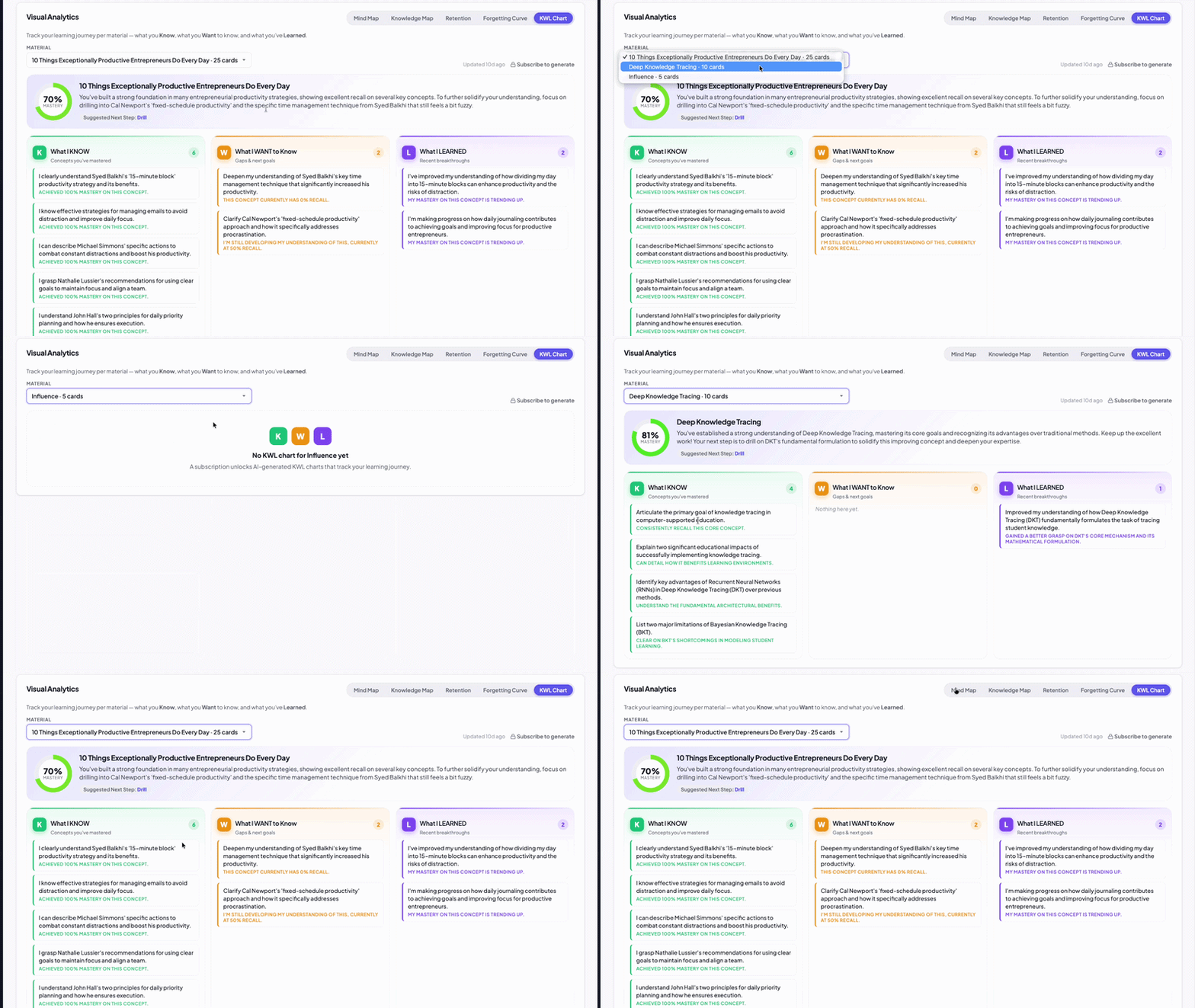
Know · Want to know · Learned
Per material, a mastery ring and three colour-coded columns sort concepts into what you already Know, Want to know, and have Learned.
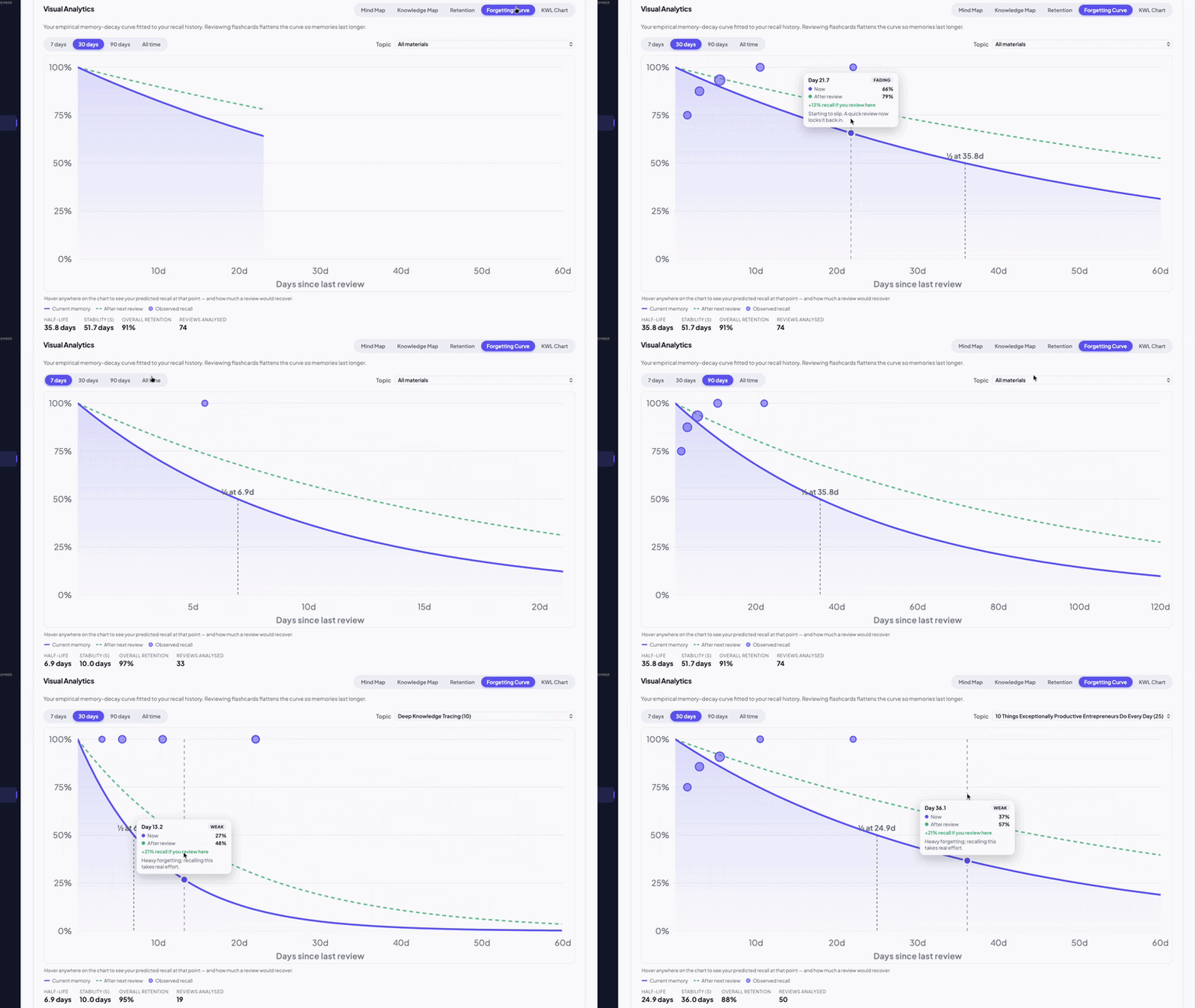
Ebbinghaus memory decay, live
Your real memory-decay curve, derived from recall history and filterable by time range and topic — see precisely when knowledge is slipping away.
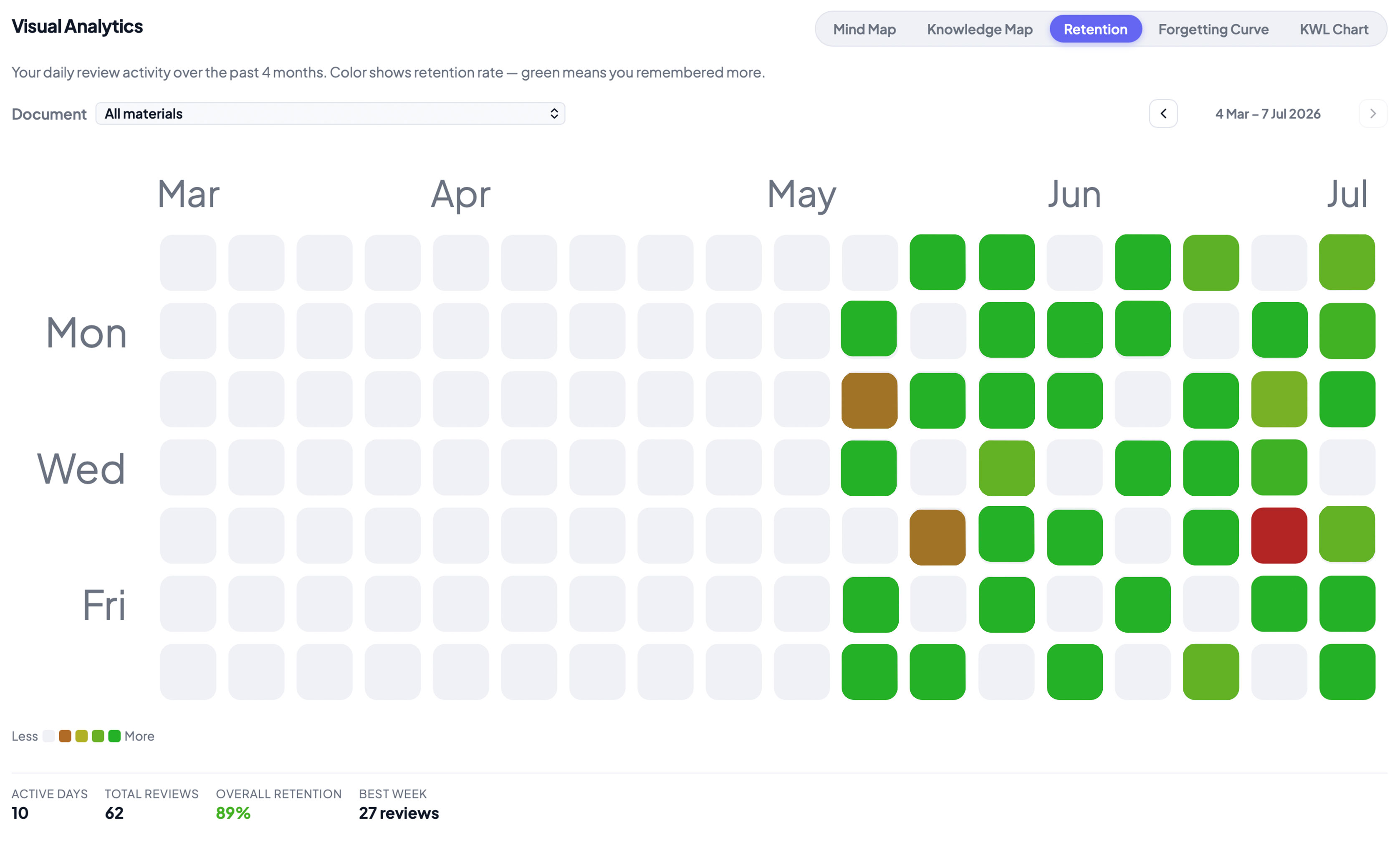
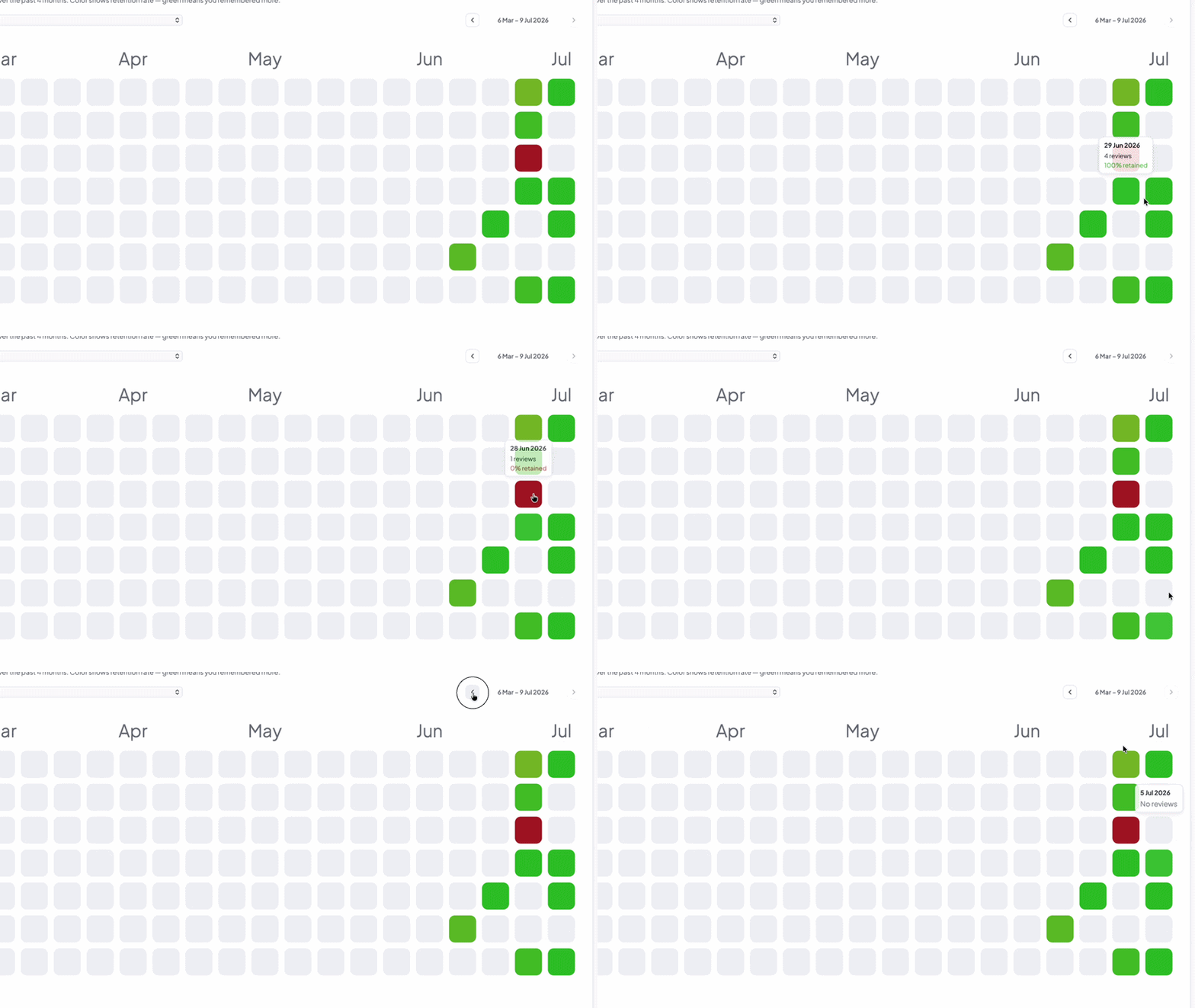
Where memory runs hot & cold
A colour-graded heatmap of retention across your materials and topics, so strong areas and weak spots are obvious at a glance. Visualize your retention patterns over time.
Review queues, knowledge maps and progress — all in one clean, distraction-free desktop app.
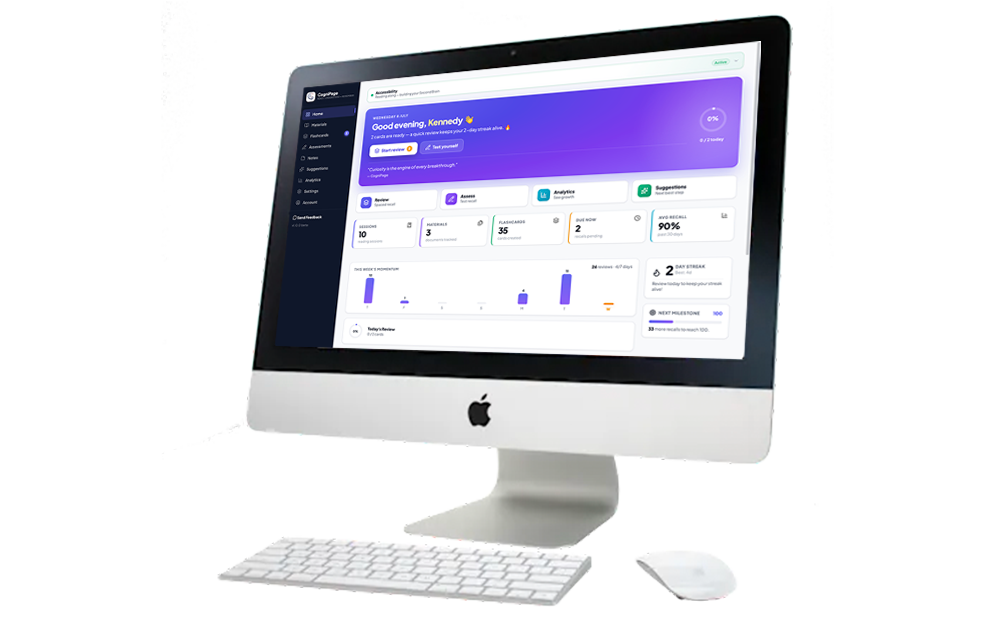
Grab CogniPage for Windows or macOS — it's free to start.
Grant reading access once, approve the sites you want tracked, and keep reading. We handle the rest.
Spend a few minutes a day on recall and watch knowledge compound.
Free to download. No card needed to try. Pick the build for your machine.
macOS 12+ · Windows 10/11 · 64-bit
Installs CogniPage only — no bundled software, no toolbars, no browser extensions, no ads. What it downloads later · How it updates · How to uninstall
By downloading you agree to our Terms & Conditions and Privacy Policy.
Windows installer SHA-256
how to check the signature.